
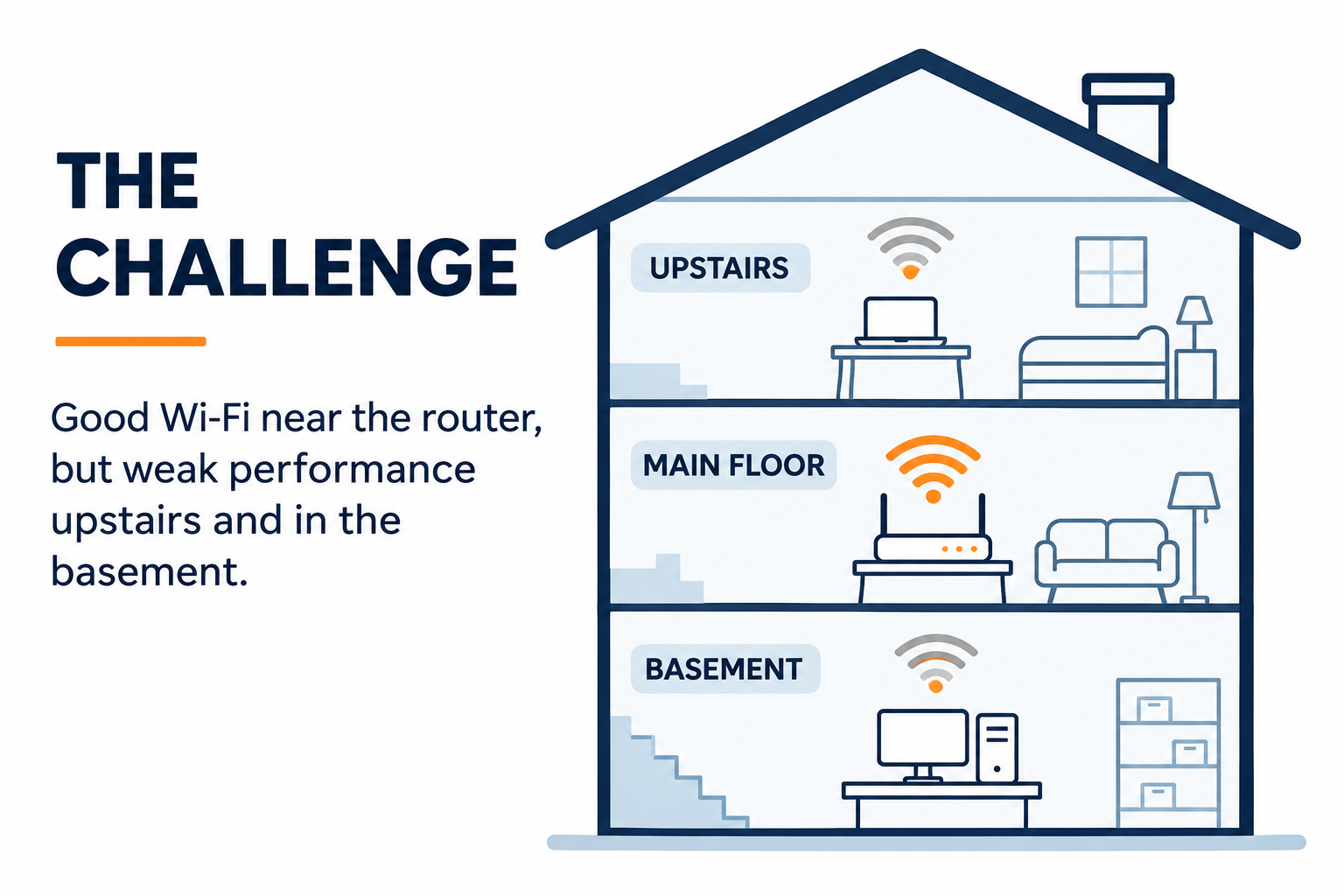
My Wi-Fi worked well near the main router. But in a three-level house, getting a signal to the upper floor and basement was not the same as getting good speed. At one point, the speed on another floor was about one-tenth of what I expected.
The obvious answer was to add another mesh node. I wanted to understand the trade-offs first. Could I improve the connection between floors without opening finished walls?
The problem: coverage is not speed
A mesh node may give a laptop a strong Wi-Fi signal. But the node still needs to reach the main router. If that link crosses multiple floors wirelessly, it can become the bottleneck. Walls, floor materials, interference and node placement all matter.
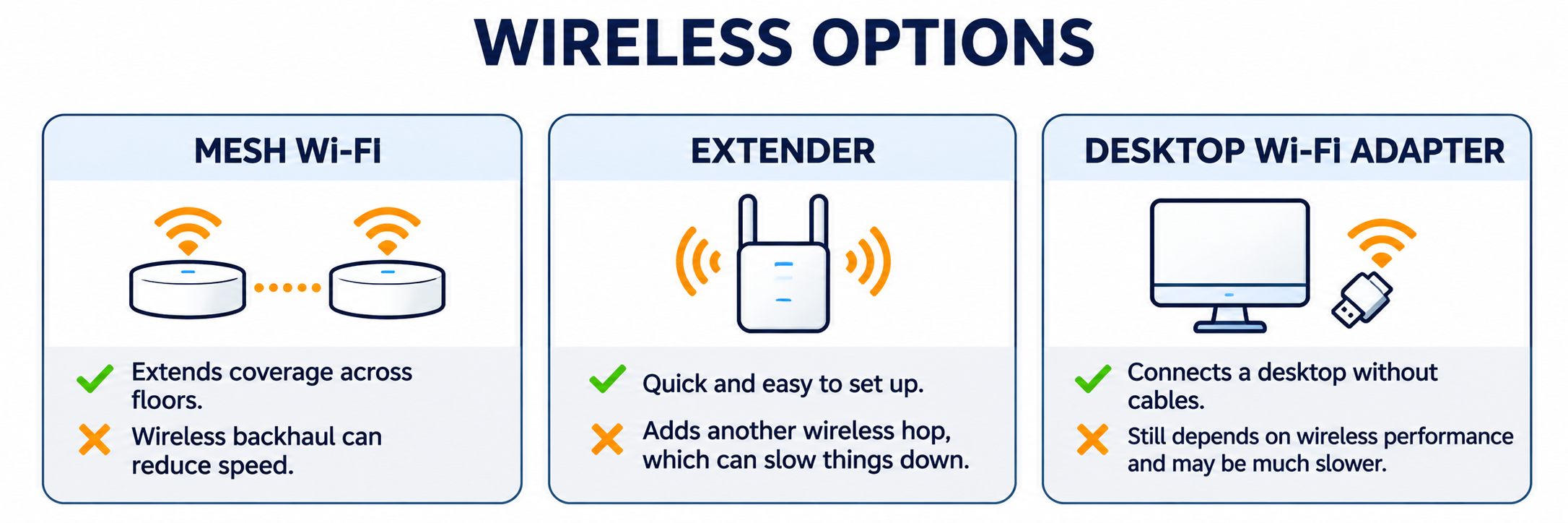
A desktop is no exception. A PCIe Wi-Fi card or USB adapter can connect it to the network. But it still depends on Wi-Fi. A good adapter is not inherently slow, and adding one does not repair a weak backhaul.
Option 1: wireless extenders and mesh
Wireless mesh is convenient. It avoids cable runs and improves coverage. Some systems use dedicated radios for backhaul, which can help. Still, each node needs a good connection to the next one. A strong signal at the device does not guarantee fast access to the internet.
Option 2: run Ethernet between floors
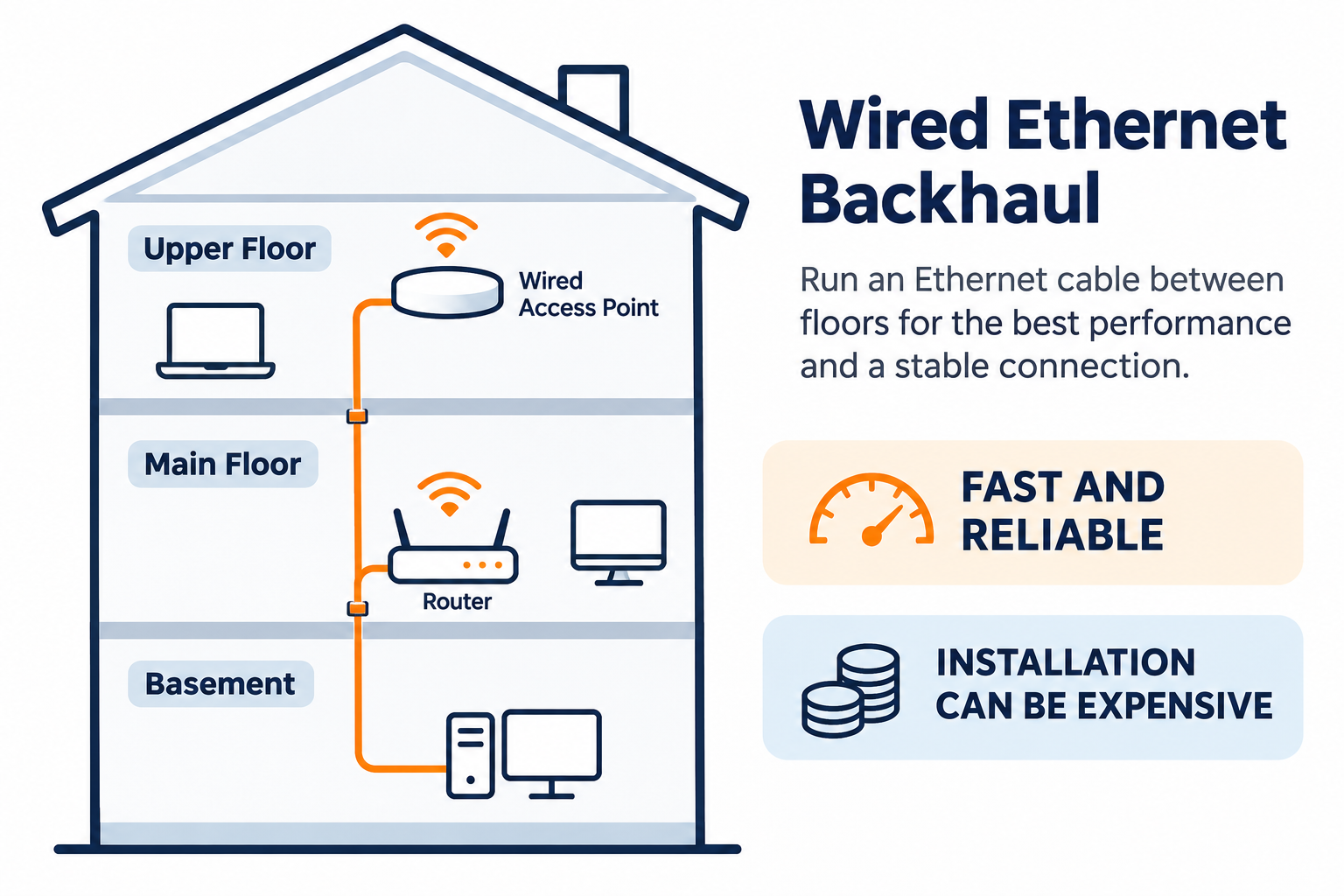
Ethernet is a reliable way to connect an access point or switch on another floor. The cable itself is usually inexpensive. Routing it through finished walls is another matter. Labor, drilling and repairs can cost more than the hardware.
Option 3: use the coax already in the house
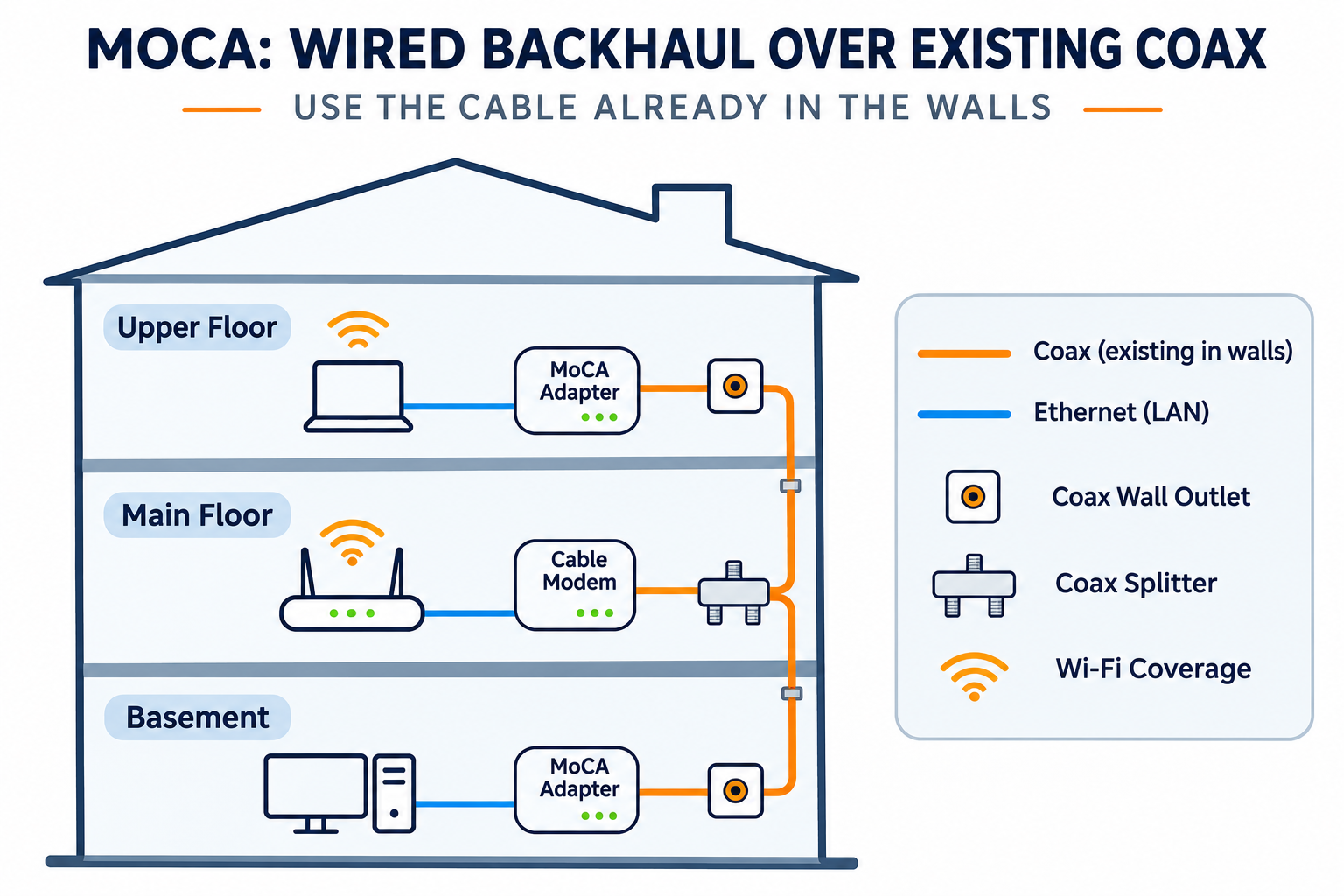
The house already had coaxial outlets and splitters. That made MoCA worth exploring. MoCA stands for Multimedia over Coax Alliance. Compatible adapters can carry the home Ethernet network over suitable coax wiring.
One adapter bridges the router’s LAN onto the coax. Another adapter bridges it back to Ethernet at the far end. A switch can then connect desktops, access points and other wired devices.
The actual network design
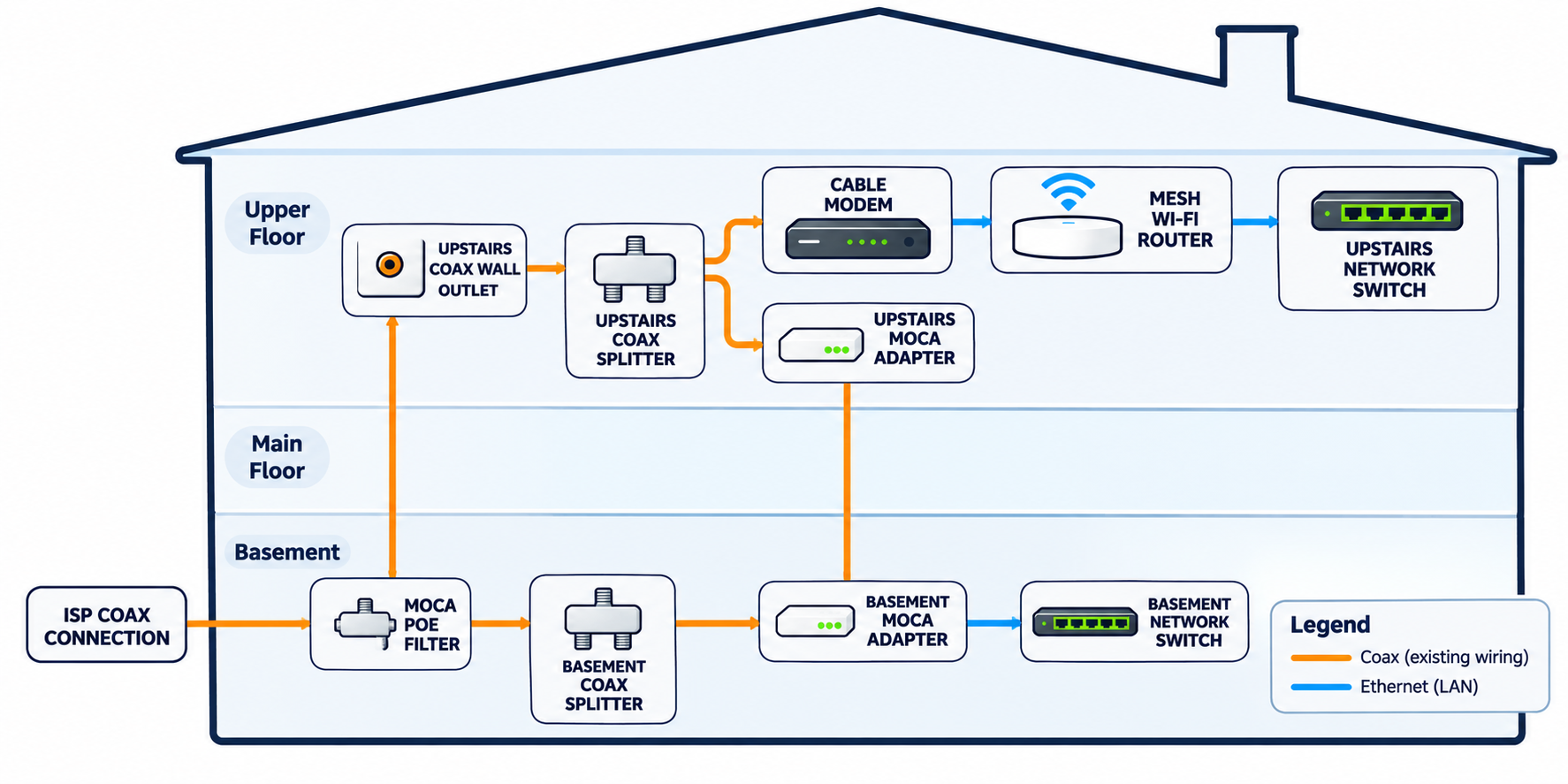
The diagram below follows the original design. The ISP coax enters at the basement, passes through a MoCA point-of-entry filter, then reaches a splitter. One coax run goes upstairs to the modem and MoCA equipment. Another serves the basement adapter.
At the upstairs location, a second coax splitter serves both the cable modem and the MoCA adapter. The modem connects to the mesh router. The router connects to the upstairs network switch, which also connects to the upstairs MoCA adapter. This is the critical LAN connection.
The basement MoCA adapter receives the network over coax and feeds a basement Ethernet switch. Devices attached to that switch share the same home LAN.
What each component does
1. ISP coax connection. This is the cable provider’s incoming line. It delivers the internet service to the cable modem.
2. MoCA point-of-entry filter. The filter helps keep MoCA signals within the home’s coax network. Its placement and suitability depend on the cable service.
3. Basement coax splitter. This distributes the coax connection to the outlets used by the network. The splitter must support the required frequencies.
4. Upstairs coax wall outlet. This is the existing cable connection between floors. Reusing it avoids pulling a new Ethernet cable.
5. Upstairs coax splitter. This lets the cable modem and the upstairs MoCA adapter share the coax outlet, when the modem and ISP frequencies are compatible.
6. Cable modem. The modem converts the ISP’s cable signal into an Ethernet connection for the router.
7. Mesh Wi-Fi router. This remains the main router. It manages the home network, including routing, DHCP and Wi-Fi.
8. Upstairs network switch. The switch expands the available Ethernet ports. It connects the router’s LAN to the upstairs MoCA adapter and other wired devices.
9. Upstairs MoCA adapter. This bridges Ethernet from the router’s LAN onto the coax network.
10. Basement MoCA adapter. This bridges the coax network back to Ethernet in the basement. It replaces the wireless hop between floors.
11. Basement network switch. The switch provides wired connections for multiple basement devices. An access point can also connect here if Wi-Fi coverage is needed.
Cost and compatibility
There is no single cost for a wired backhaul. New Ethernet may require professional installation and wall repairs. MoCA usually requires two adapters and sometimes compatible splitters, filters or an additional access point. It is attractive when the coax is already installed and connected.
Before buying adapters, check that both coax outlets connect through the intended splitter network. Confirm the splitters, cable modem, ISP service and MoCA frequencies are compatible. Some newer DOCSIS configurations overlap with MoCA frequencies. Also check the Ethernet port speeds on the adapters and switches.
Which option makes sense?
For a smaller home, wireless mesh may be enough. If Ethernet is easy to install, use it. In a three-level house with finished walls and suitable coax already in place, MoCA can be a useful alternative.
My takeaway is simple. More Wi-Fi bars do not always mean better performance. The connection between floors matters just as much as the signal inside each room.